

Tutorials
HOW TO USE THE EMAIL VALIDATION PROCESS
Instructions
Please follow the below steps.
Step 1: Input Your Email Address
- The email address that you give to us, is where we will send the cleaned email list.
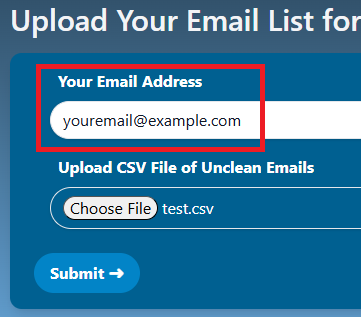
Step 1: Input Your Email Address
- The email address that you give to us, is where we will send the cleaned email list.
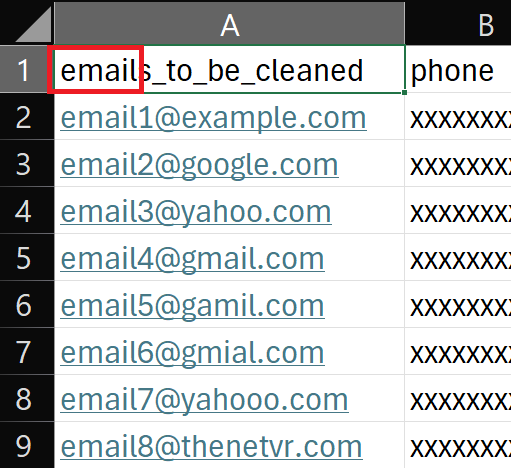
Step 2: Upload Your CSV File
- The CSV file must have one column at the top where it says 'email', and that column contains the emails you want to clean.
Step 2: Upload Your CSV File
- The CSV file must have one column at the top where it says 'email', and that column contains the emails you want to clean.
Step 3: Click on the Submit Button
- We will verify the CSV file, and then redirect you to a stripe checkout session if we are able to read your CSV file.
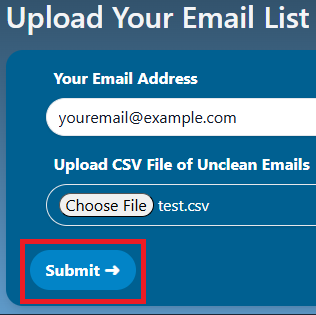
Step 3: Click on the Submit Button
- We will verify the CSV file, and then redirect you to a stripe checkout session if we are able to read your CSV file.
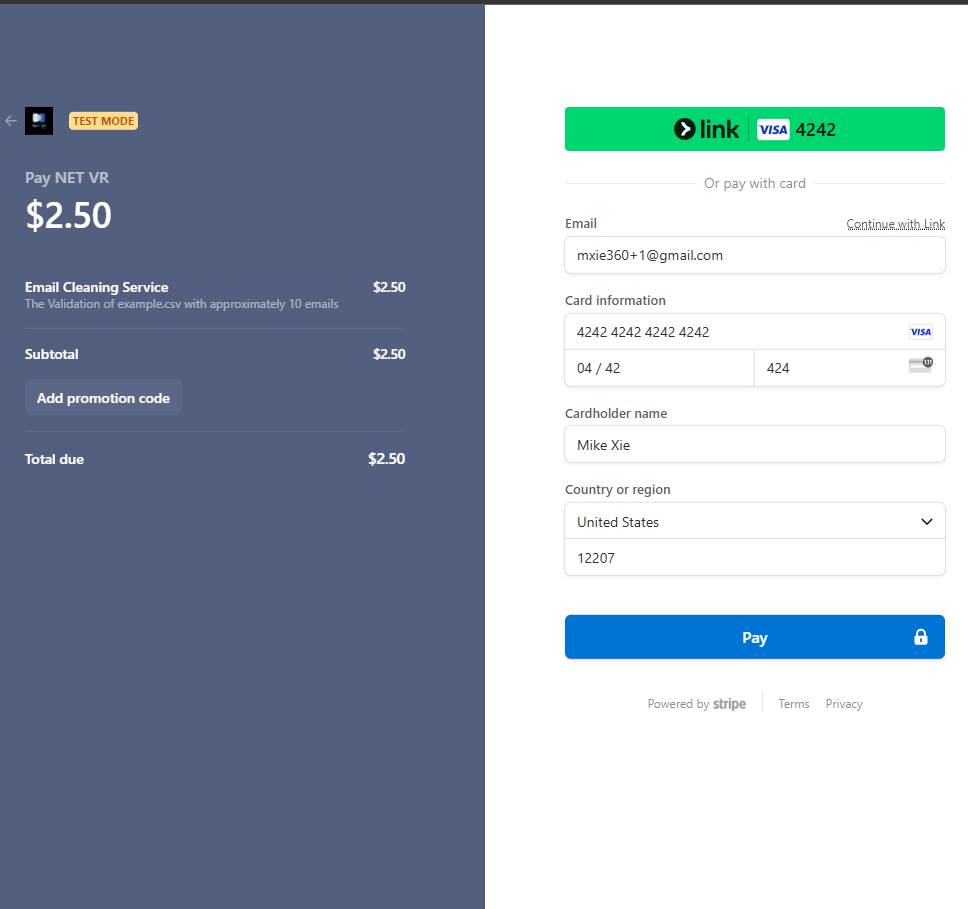
Step 4: Pay through Stripe Checkout
- Pay through Stripe Checkout
Step 4: Pay through Stripe Checkout
- Pay through Stripe Checkout
Step 5: Receive your Cleaned Email List
- Receive your Cleaned Email List delivered to your email address.
- If you have any questions, or trouble, send an email to mike@thenetvr.com
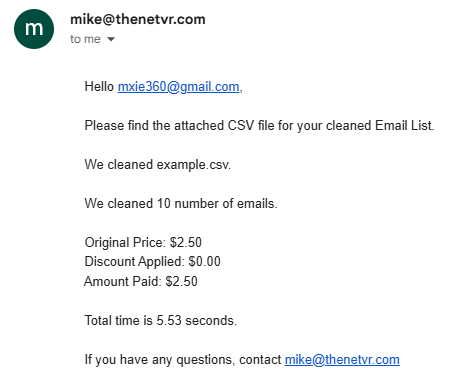
Step 5: Receive your Cleaned Email List
- Receive your Cleaned Email List delivered to your email address.
- If you have any questions, or trouble, send an email to mike@thenetvr.com

Click here to download an example of csv file with email addresses to clean.
Click here to download an example of csv file with email addresses to clean.
How To Read Your Results
Here are some tips on how to read your results:
1. InputData
- The email address that we read from your CSV file and that we cleaned
- Lets you know if we read the email addresses correctly from your input file
1. InputData
- The email address that we read from your CSV file and that we cleaned
- Lets you know if we read the email addresses correctly from your input file
2. Classification
-
Deliverable
- You can send mail to this email address
-
Risky
- You can send mail to this email address but it could fail or it could be a spam trap/blacklisted
-
Undeliverable
- You cannot send emails to this email address
2. Classification
-
Deliverable
- You can send mail to this email address
-
Risky
- You can send mail to this email address but it could fail or it could be a spam trap/blacklisted
-
Undeliverable
- You cannot send emails to this email address
3. Status
-
Success
- You can deliver to this email address without failure
-
ServerIsCatchAll
- This server accepts all emails, even if the email address you send it to does not exist. Be careful of sending emails to SeverIsCatchAll
-
UnHandledException
- Something went wrong with validating this email server/address. Be careful of sending emails to this email address
4. IsSyntaxFailure
The email address is not syntactically correct.
5. IsRoleAccount
The email address is associated with a role account
6. IsDisposableEmailAddress
The email address is disposable
7. DNSHasNullMX
The DNS does not exist or the domain name does not exist
8. IsCatchAllMailExchange
Is a catch all mail exchange
9. IsMailBoxUnavailable
The email address itself is just not available.
10. IsSpamTrapOrHoneyPotOrBlackListed
Email address is a spam trap, honeypot or blacklisted
Click here to download an example of csv file with email addresses to clean.
Click here to download an example of csv file with email addresses to clean.
Other Features
EmailAddressLowerCase
Gives you a lowercase and equivalent version of the email address.
EmailAddressRaw
Gives you the email address with out + subaddressing or dot (.) subaddressing.
EmailAddressLocalPart
The username of the email address.
EmailAddressDomainPart
Is the domain name of the email server.
IsDNSConnectionFailure
Could not connect to the DNS server or connect to the domain name.
IsSMPTConnectionFailure
Could not establish a SMTP connection.
IsMailBoxAllowMultipleRCPT
You can send multiple recipients to this email server.
IsConnectionTimeoutFailure
Connection failed because of a Timeout.
CompletedOn
Date / timestamp of when we completed the validation of a specific email address.